CSS 选择器的权重叠加技巧
CSS
避免 !important
!important 会覆盖所有的样式, 但是会使代码难以维护, 除非必要, 否则不要使用 !important.
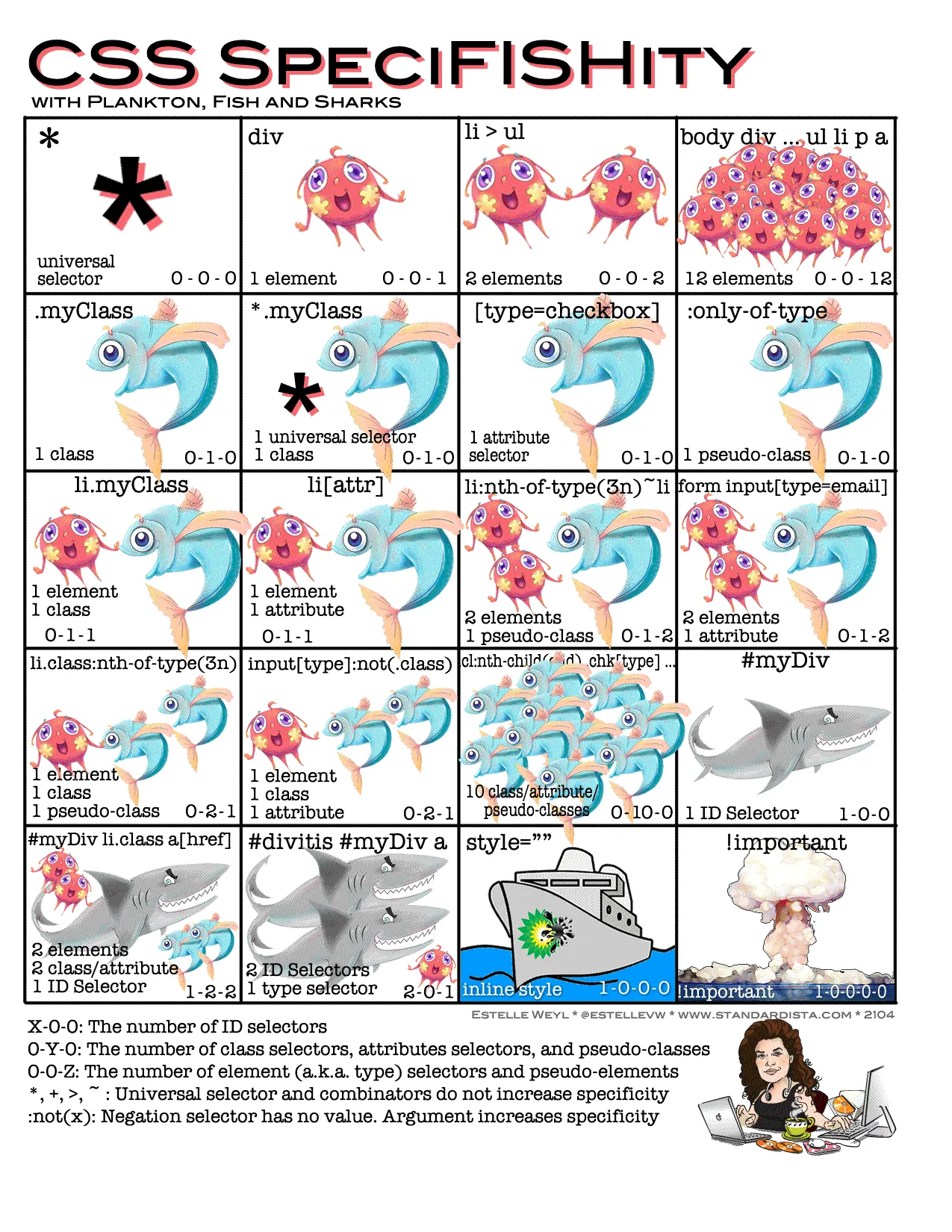
.a.b 的优先级为 (0, 2, 0), 同理, .a.a 的优先级也为 (0, 2, 0).
可以使用重复的选择器来提高优先级而避免使用 !important.
<!doctype html>
<html lang="en">
<head>
<meta charset="UTF-8">
<meta name="viewport"
content="width=device-width, user-scalable=no, initial-scale=1.0, maximum-scale=1.0, minimum-scale=1.0">
<meta http-equiv="X-UA-Compatible" content="ie=edge">
<title>Document</title>
<style>
.box {
width: 100px;
height: 100px;
}
/* 1 */
.box.box {
background-color: red;
}
/* 2 */
.box {
background-color: blue;
}
</style>
</head>
<body>
<div class="box"></div>
</body>
</html>示例代码中 2 在 1 之后, 但是 1 的优先级更高, 所以背景颜色为红色.